Tovela

Caregiving information shouldn't live in one person's head.

Tovela gives a family one shared place for medications, appointments, doctor visits, and records — with an AI assistant that does the reading and the typing, never the deciding.

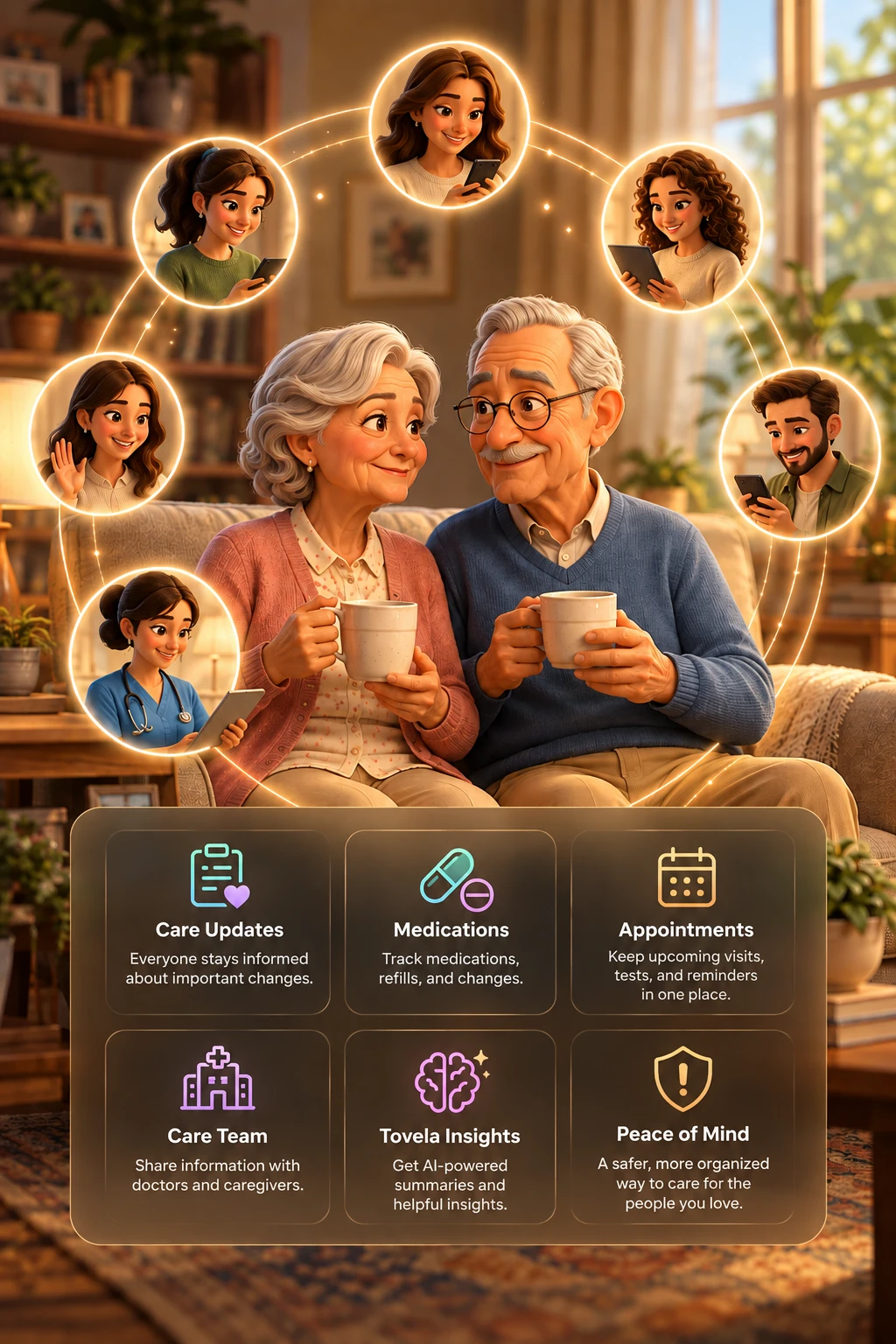
An older couple on their sofa with coffee, surrounded by their family and caregiver, each connected on their phones or tablets through Tovela.
Why I built this

It took a family cruise for us to find out how sick he'd really been.

My wife and I took her parents on a cruise. A few days in, we realized her dad had been weak and in pain for two weeks before we even left — he just hadn't said anything. Neither of them wanted to bother any of their five daughters, so one night at 1 a.m., two people who struggled to drive got themselves to the emergency room alone. That was just the tip of the iceberg of the things we found out that were going on with them. All five daughters, and no one knew.

The day we got home, my wife and her sisters made a pact: get involved, take turns at appointments, put it on a rotation instead of leaving it to whoever happened to notice first.

What was missing wasn't love or willingness. It was one shared place for the medications, the appointments, and what a doctor actually said in the room. So, I built Tovela.

The next time her dad was hospitalized, all five daughters knew within minutes. Someone was already on the way, and everyone else could see exactly what was happening — without a single phone call interrupting the two people sitting at his bedside.

— Luis, who built Tovela for his wife's family, and hopes, soon, for yours too.

Why it exists

Everything a family knows, in one place they can all open.

Before
  • Medication changes announced in a group text, then lost in the scroll
  • One person quietly becomes the only one who "knows everything"
  • Insurance cards and lab reports photographed, then never opened again
  • Appointment times mixed up across time zones
  • Discharge paperwork read once in a hospital hallway, then filed away
After
  • One shared record everyone in the family can open and trust
  • No one has to hold it all alone
  • A photo of a bottle, card, or report fills itself in — no typing
  • Every appointment shown correctly, in each person's own time zone
  • Discharge reports read and summarized the moment they're uploaded
What it holds

Everything organized, all in one place.

📇
Care profile
Basic info and history for each person — the foundation everything else builds on.
💊
Medications & reminders
Grouped by time of day, with a clean printable schedule at a glance.
📅
Doctor visits & appointments
Time-zone-aware scheduling for a family that isn't all in one place.
🏥
Hospital stays & records
Discharge papers read, summarized, and filed automatically.
✨
AI-organized notes
Turns photos and recordings into clear notes and a list of questions for the doctor.
🚩
Alerts & action items
Ranked by importance, so nothing significant gets buried.
The assistant

It does the reading and the typing — never the deciding.

Point a phone camera at a pill bottle, an insurance card, or a lab report, and Tovela reads it, fills in the form, and asks for a quick confirm.

  • ✓ Keeps a clear, organized record of every medication — dose, schedule, and notes from the family
  • ✓ Keeps a running list of questions to bring up at the next appointment
  • ✓ Reads and summarizes hospital discharge papers the moment they're uploaded
  • ✓ Turns a recorded doctor's visit into a clear note — in English or Spanish
"Tovela only organizes what the family already knows. It never gives medical advice, and it never tells anyone what to do."
Not medical advice. Tovela isn't a medical service — it helps families organize what they already know and points every decision back to the doctor.
Get the app

Add Tovela to your phone in under a minute.

Tovela works in your phone's browser, and you can put it on your home screen so it opens like a regular app — no app store needed.

iPhone / iPad
  1. Open tovela.care in Safari.
  2. Tap the Share button — the square with an arrow pointing up, at the bottom of the screen.
  3. Scroll down and tap Add to Home Screen.
  4. Tap Add. Tovela now sits on your home screen like any other app.
Android
  1. Open tovela.care in Chrome.
  2. Tap the menu button — the three dots in the top corner.
  3. Tap Install app (or Add to Home screen).
  4. Tap Install. Tovela now sits on your home screen like any other app.

It opens full screen with no app store and nothing to download. Using Samsung Internet? Tap the menu, then Add page to → Home screen. On a computer, look for the install icon at the right end of the address bar in Chrome or Edge.

Pricing

Simple plans for every family.

New subscribers start with a 30-day free trial on either plan. A payment method is needed to start, but you won't be charged until the trial ends, and you can cancel anytime before then. Prices are in US dollars, and yearly billing saves 15%.

✨
Basic Plan
For one person
$15/ month
or $153 / year, billed annually
  • ✓ Care for 1 person
  • ✓ Up to 3 family logins
  • ✓ Shared family timeline
  • ✓ Appointments & medication reminders
  • ✓ Photo-scan meds, labs, insurance & discharge papers
  • ✓ Document & record storage
  • ✓ Tovela AI insights
  • ✓ Email & in-app notifications
Start free trial
Cancel anytime

Payments are processed securely by Paddle, our payment provider. See our refund & cancellation policy.

Contact

Questions? Write to us.

For questions about Tovela, your subscription, a refund, or your family's data, email luis@harpenterprisescorp.com.